

The App
The 10 Pillars Test
Why THis App Exists
Youth Suicide Prevention
Suicide is the biggest killer of young people under 35 in the UK. The 10 Pillars of Wellbeing was created by Jamie Karl Coupe — a Suicide Prevention and Masculine Mental Health Specialist — as a practical daily toolkit that young people can actually use. It's not about crisis intervention. It's about prevention. It's about giving you ten simple, evidence-based habits to protect your mental health every single day.
This framework has been delivered in keynote talks and workshops at leading UK schools, universities, Premier League and Premiership rugby academies — including work with Liverpool FC Academy, Exeter Chiefs and England Rugby Schools. The feedback from students, staff and safeguarding leads is consistent: this work doesn't just resonate — it saves lives.
The app puts that same framework in your pocket.

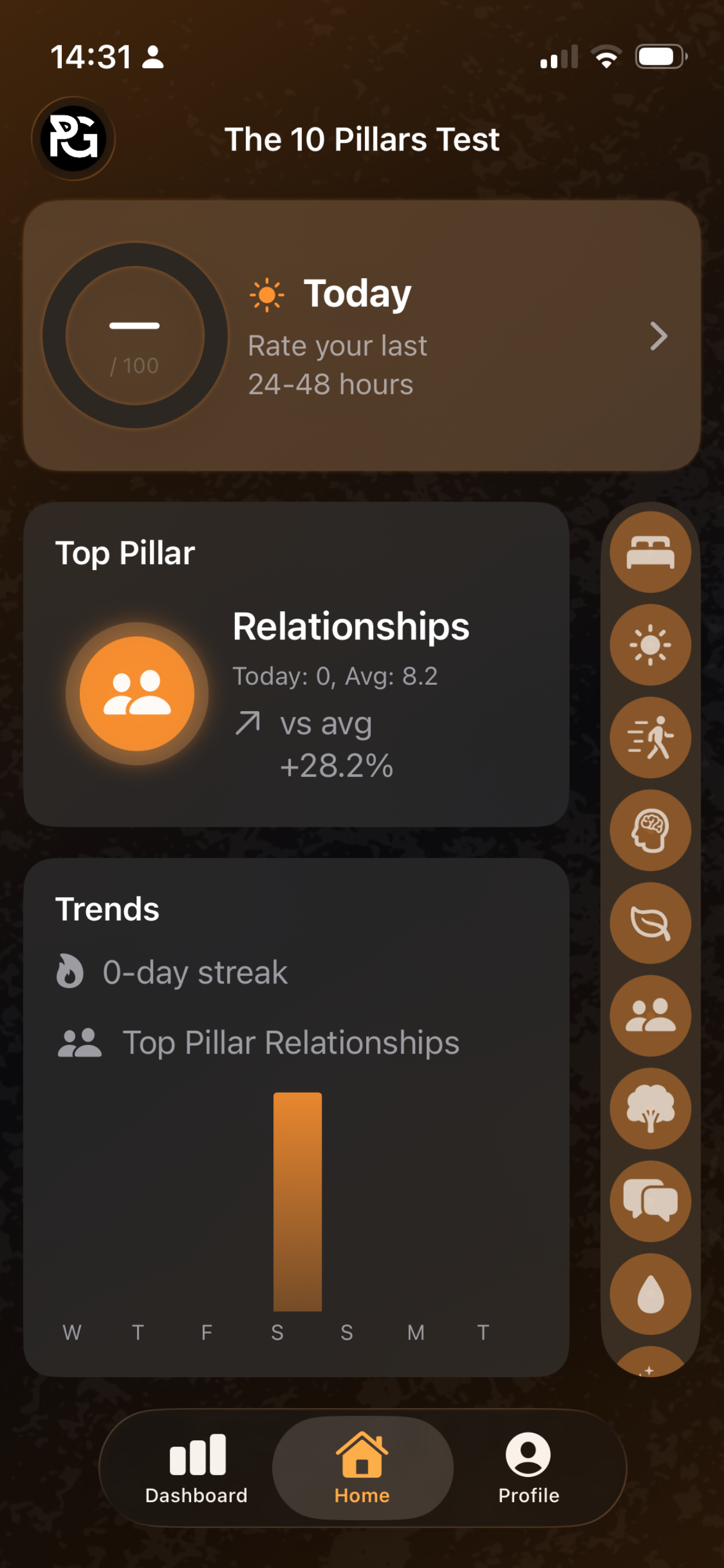
Suicide Prevention in your pocket
Your mental health isn't one thing — it's ten. Rate yourself honestly across all ten pillars each day, spot the gaps, and take back control of your wellbeing. Built by a suicide prevention specialist who has delivered this framework to over 2,000 young people across UK schools, universities and elite sports academies.
The 10 Pillars of Wellbeing is a practical, evidence-based daily check-in app developed from the Primal Grace framework — Strength Through Vulnerability. Instead of tracking a single mood score, it breaks your wellbeing into ten actionable areas so you can see exactly where you're thriving and where you need support.
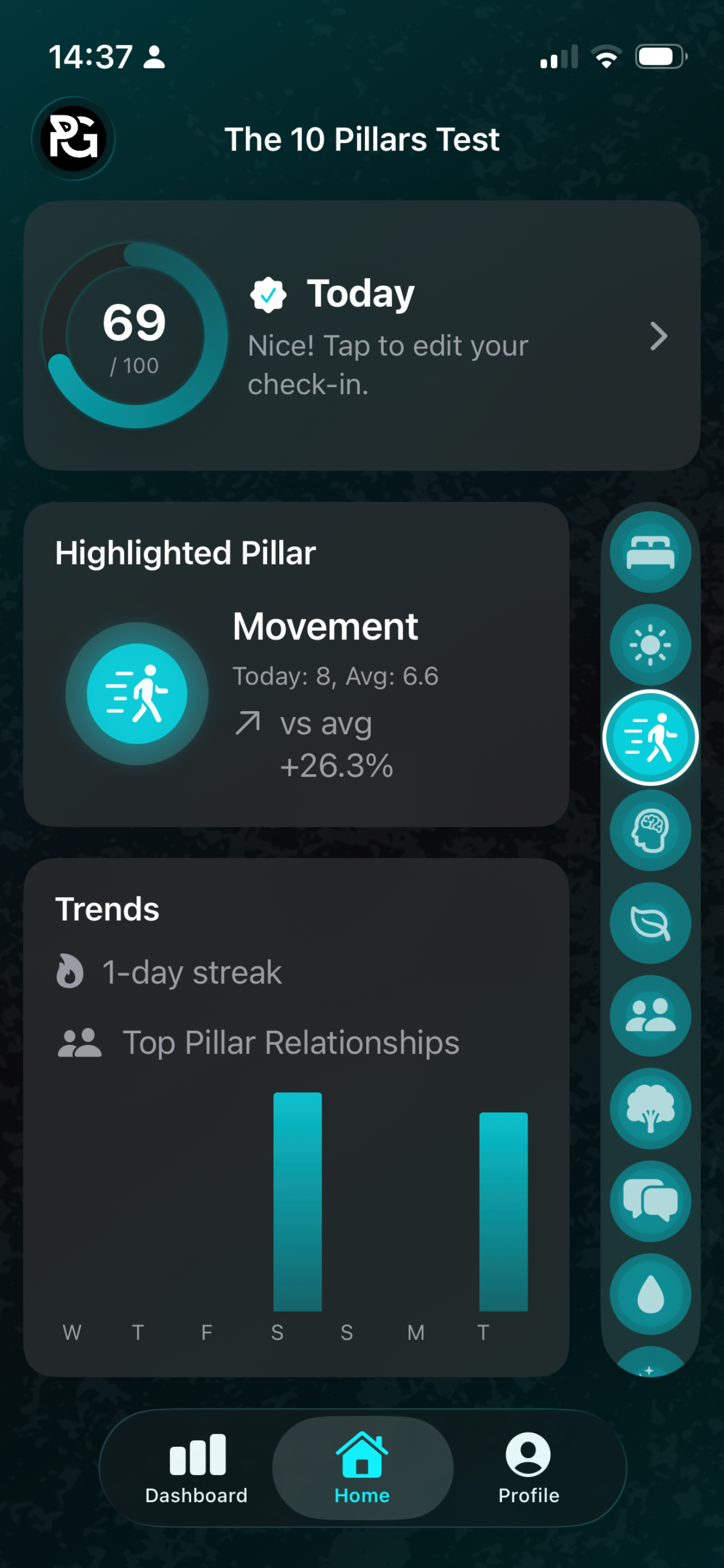
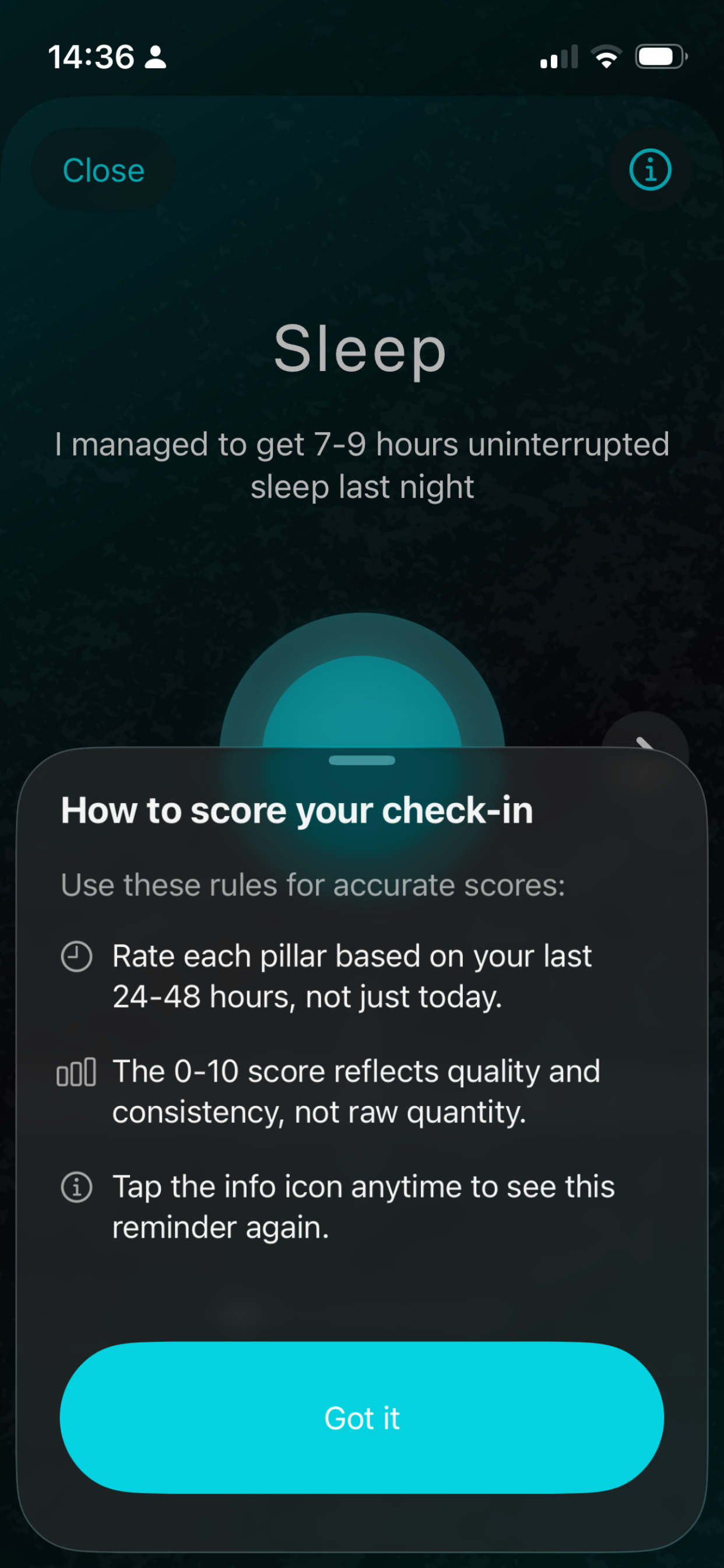
How?
Sleep — Are you getting 8–10 hours of quality rest?
Sunlight — Did you spend at least 30 minutes in natural light today?
Movement — Have you found your balance of cardio and strength training?
Mindfulness — Did you create a buffer between the world and how you feel?
Diet — Are you eating in a balanced way with 5–8 fruits and veg a day?
Relationships — Have you spent quality time with people who matter?
Nature — Did you get outside into the sea, forest, hills or fields?
Crying/Anger — Have you made space for your emotions when needed?
Processing — Have you talked to someone, reflected or listened to yourself with empathy?
Joy — Did you do something that inspires, restores or teaches you?
APP SUpport
The 10 Pillars Test — Support Page Content
This content is intended for your Support URL (e.g. primalgrace.info/app/support). Use this as the copy for that page.
Support — The 10 Pillars Test
Need help with the app? You'll find answers to the most common questions below. If you can't find what you're looking for, get in touch and we'll help.
Frequently Asked Questions
How do I check in?
Open the app and tap a pillar on your Dashboard. Use the scroll wheel to rate yourself from 0 to 10 based on your last 24–48 hours. Swipe left or right to move between pillars, or tap "Close" to return to the Dashboard. Your scores save automatically.
What do the scores mean?
Each pillar score runs from 0 (not at all) to 10 (fully). The score reflects quality and consistency over the last day or two — not perfection. A 5 means you're roughly halfway. A 7 or above means that pillar is in good shape. The app uses "I statements" to help you calibrate — for example, "I spent at least 30 minutes out in the sunshine today."
How is my overall score calculated?
Your overall score on the Home screen is the average of all ten pillar scores combined, shown out of 100. So if you score 5 across every pillar, your total would be 50.
What are streaks?
A streak counts the number of consecutive days you've completed a full check-in. If you miss a day, you can use Backfill (in Settings) to log it retrospectively and keep your streak alive.
How do I backfill a missed day?
Go to Settings (tap the Profile tab), then tap "Backfill a day..." Select the date you missed and enter your scores. Your Dashboard and Trends will update automatically.
Can I change the app's appearance?
Yes. Go to Settings and tap one of the colour dots at the top to switch between themes.
How do I set up daily reminders?
Go to Settings and toggle "Enable" under Daily Reminder. Set your preferred time — the app will send you a notification to check in.
How do I reset my data?
Go to Settings and tap "Reset history." This will permanently erase all your stored check-in data from your device. This cannot be undone.
Is my data private?
Completely. All data is stored locally on your device. The app does not collect, transmit or share any personal information. There is no account, no login and no cloud storage. If you delete the app, your data is gone. Read our full [Privacy Policy] for details.
Does the app work offline?
Yes. The 10 Pillars Test works entirely offline. No internet connection is required to check in, view your dashboard or access your trends.
What are the 10 Pillars?
The 10 Pillars of Wellbeing are: Sleep, Sunlight, Movement, Mindfulness, Diet, Relationships, Nature, Crying/Anger, Processing and Joy. Each represents an evidence-based area of daily wellbeing. Tap the info icon (i) on any pillar's check-in screen to learn more about it.
Who created this app?
The 10 Pillars Test was created by Jamie Karl Coupe, a Suicide Prevention and Masculine Mental Health Specialist, under the Primal Grace brand. The framework has been delivered to over 2,000 young people in talks and workshops across UK schools, universities and elite sports academies. Learn more at www.primalgrace.info.
Troubleshooting
The app isn't sending me reminders
Make sure notifications are enabled for The 10 Pillars Test in your iPhone's Settings (Settings > Notifications > The 10 Pillars Test). Also check that the reminder is toggled on inside the app under Settings > Daily Reminder.
My scores aren't saving
Ensure you're running the latest version of the app. If scores still aren't saving, try closing and reopening the app. If the problem persists, please get in touch using the contact details below.
I accidentally reset my history
Unfortunately, a history reset is permanent and cannot be undone. Your previous data cannot be recovered. You're welcome to start fresh — consistency is what matters most.
If You're Struggling
The 10 Pillars Test is a wellbeing check-in tool, not a substitute for professional support. If you or someone you know is in crisis or experiencing suicidal thoughts, please reach out:
Samaritans — Call 116 123 (free, 24/7) or email jo@samaritans.orgCrisis Text Line — Text SHOUT to 85258 (free, 24/7) Papyrus (under 35s) — Call 0800 068 4141 or text 07860 039 967 Childline (under 19s) — Call 0800 1111 (free, 24/7) Campaign Against Living Miserably (CALM) — Call 0800 58 58 58 (5pm–midnight)
You are not alone. Asking for help is a sign of strength.
Contact Us
If you have a question, feedback, a bug report or just want to say hello:
Email:jamie@primalgrace.info
Website:www.primalgrace.info
Speaking & workshops:www.jamiekarlcoupe.com
We aim to respond within 48 hours.